
Best Thermal Imaging Cameras in 2026: Buyer’s Guide
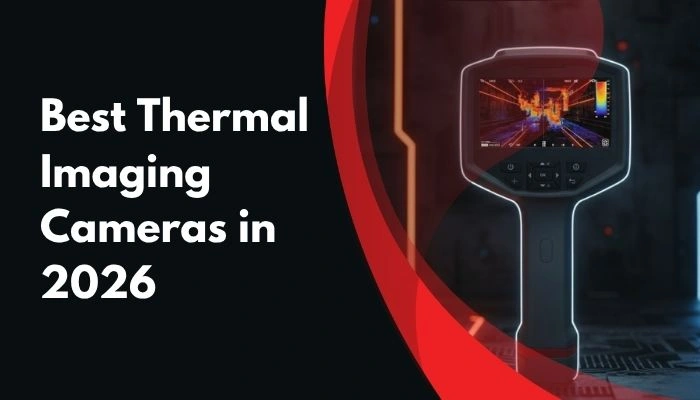
A thermal imaging camera turns invisible heat into a visible image, helping technicians identify abnormal temperature patterns before they become costly failures. In electrical panels, motors, bearings, building envelopes, HVAC systems, and process equipment, thermal imaging can reveal overloaded connections, insulation defects, moisture paths, airflow loss, and overheating components without direct contact.
But choosing the best thermal imaging camera in 2026 is not just about buying the model with the highest advertised pixel count. Real performance depends on a combination of native detector resolution, thermal sensitivity, temperature range, frame rate, optics, focus method, software, and reporting workflow. This buyer’s guide explains what matters most and compares key MarMonix models using the specifications available in their product datasheets.
If you want to browse the full range first, visit the MarMonix thermal cameras category.
What a Thermal Imaging Camera Does
Every object above absolute zero emits infrared radiation. A thermal camera detects that radiation and converts it into a thermal image that shows surface temperature differences across a scene. These patterns help inspectors locate faults that are invisible to the naked eye.
In practice, most thermal inspections are based on comparison. A loose electrical termination may run hotter than neighboring terminals. A damaged bearing may appear warmer than similar bearings under the same load. A wet area behind a wall may create a colder or warmer surface pattern than the surrounding material. In thermal diagnostics, temperature contrast often matters more than the absolute number alone.
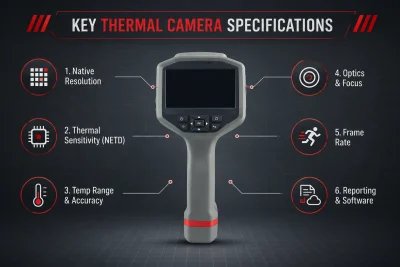
Key Thermal Camera Specifications to Compare
1. Native detector resolution
The detector resolution defines how much actual thermal detail the camera captures. This is one of the most important factors in inspection quality, especially when you need to isolate a small hotspot inside a crowded panel or inspect a distant target.
Always focus on the native infrared detector resolution, not enlarged display output or software-enhanced image size. A camera with a stronger native detector usually gives better target separation and more usable thermal evidence in reports.
2. Thermal sensitivity (NETD)
NETD describes the smallest temperature difference the camera can distinguish. Lower NETD values generally mean cleaner thermal images and better visibility of subtle temperature changes.
This becomes especially important in building diagnostics, insulation checks, moisture inspection, and mechanical condition monitoring, where the temperature differences can be small. However, NETD values should be compared carefully, because different datasheets may state them at different reference temperatures.
3. Temperature range and measurement accuracy
The correct temperature range depends on the job. Building surveys and light electrical work often stay within relatively moderate temperatures, while process inspection, heavy electrical systems, and high-load equipment may require a much wider range.
Buy for your application, not for the biggest number alone. A wider temperature range is useful only if your work actually demands it. Accuracy also matters, especially when thermal images are used in formal reporting, maintenance documentation, or client-facing inspection records.
4. Optics, field of view, and focus
Lens design affects how much of a scene you can capture and how well the camera can resolve small targets. A wider field of view is useful in tight electrical rooms or indoor building work, while a narrower lens can help with distant targets.
Focus method is often underestimated. A thermal image that is out of focus is not just visually soft; it can also reduce measurement reliability. For higher-end inspection work, manual focus can be a major advantage.
5. Frame rate
Frame rate affects how smoothly the image updates while you scan equipment or track moving machinery. A higher frame rate is useful for dynamic inspections, faster sweeps, and more fluid operation in the field.
6. Reporting, storage, and software workflow
In real maintenance work, the camera is only part of the job. You also need a practical way to store images, analyze thermal data, annotate findings, and generate inspection records. Features such as Wi-Fi transfer, image fusion, PC analysis, app connectivity, and thermal data export can save substantial time.
Emissivity and Reflected Temperature Matter
Thermal cameras do not simply “see temperature” in a perfect way. Readings depend heavily on emissivity, surface condition, viewing angle, and reflected background heat. Shiny metal surfaces are especially problematic because they reflect surrounding infrared energy and can produce misleading readings.
For more reliable measurements, set the correct emissivity whenever the camera or software allows it, avoid measuring polished metal head-on, and use a higher-emissivity target area such as coated, oxidized, or treated surfaces when possible.
How to Choose the Right Thermal Camera by Application
- Electrical inspection: For switchgear, breakers, cable terminations, MCC panels, and transformers, prioritize a camera with enough resolution to isolate a small hotspot, a temperature range suitable for energized equipment, and a workflow that supports clear reporting.
- Building diagnostics and energy audits: Building inspections usually benefit from good thermal sensitivity, stable imaging, and practical viewing modes. Small temperature differences are common when identifying insulation gaps, thermal bridges, moisture intrusion, or air leakage.
- Mechanical and predictive maintenance: Bearings, couplings, motors, and rotating assets are easier to inspect with a camera that updates smoothly and is comfortable to use for repeated scans. Frame rate, handling, and quick hotspot identification are important here.
- Mobile spot checks and field verification: For technicians who need thermal imaging in a more portable format, a mobile thermal camera can be the right choice. It may not replace a full-featured handheld imager in every workflow, but it can be extremely useful for fast checks, service calls, and compact field kits.
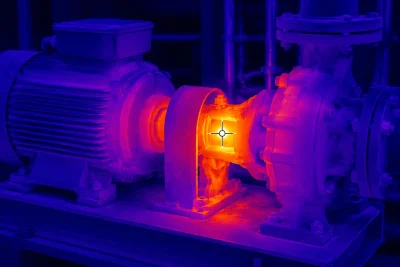
MarMonix Thermal Imaging Cameras Compared
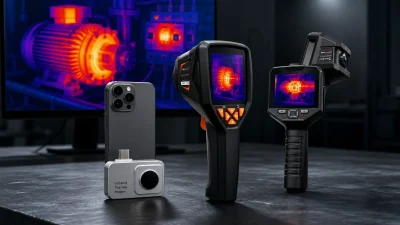
MarMonix offers several thermal imaging options that suit different inspection styles, from smartphone-connected tools to handheld cameras designed for broader industrial use. Below is a practical comparison based on the currently supplied product datasheets.
HTV 340 LPRO thermal camera
The HTV 340 LPRO is positioned as an advanced handheld thermal camera for more demanding inspections. The supplied datasheet lists an 888 × 483 infrared resolution, manual focus, 40Hz image frequency, dual-band fusion, picture-in-picture, Mini-HDMI, USB Type-C, TF card support, laser designation, voice notes, text annotation, and on-device image and video functions.
On paper, this gives the HTV 340 LPRO the strongest professional feature set in this comparison. It is the model to consider when inspection demands stronger imaging detail, manual control, richer field documentation, and more advanced reporting support. However, some values in the supplied datasheet appear ambiguous or unusually formatted, so published specs such as maximum temperature customization, operating range, and certain physical details should be presented carefully unless confirmed directly by MarMonix.
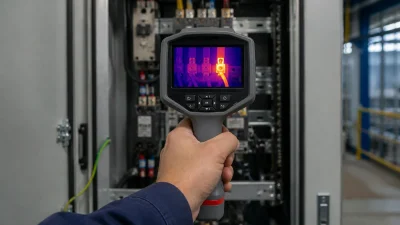
View the MarMonix HTV 340 LPRO
MTV-256 PRO thermal camera
The MTV-256 PRO is presented as a handheld thermal imager for electrical, mechanical, building, and floor-heating inspection. The datasheet lists a 400°C temperature range, 65Hz frequency, multiple color palettes, JPG photo storage, MP4 video format, and built-in memory.
This makes it attractive for technicians who want a fast, general-purpose inspection tool. Still, some listed values in the source document are unusual and should not be overstated in SEO content without verification. For example, the infrared resolution and NETD formatting in the supplied sheet are not presented in the most conventional way, so this model is best described conservatively as a high-frame-rate handheld thermal camera for general inspection tasks.
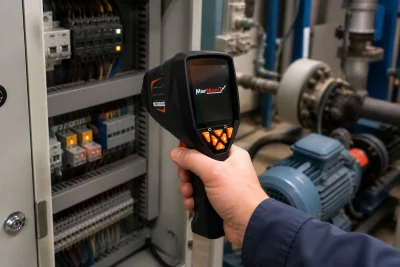
MTV-320 Pro thermal camera with Wi-Fi
The MTV-320 Pro is one of the most balanced options in the current range for buyers who want a well-documented specification set. The datasheet lists a 320 × 240 infrared resolution, 9Hz frame rate, 70mK NETD @25°C, Wi-Fi data transmission, PC analysis support, TIFF full-frame temperature analysis, visible-light imaging, and multiple fusion modes.
It also includes a stated IP54 protection rating, which is valuable for routine field work. For users who need practical thermal imaging with reporting workflow, image storage, and PC-side analysis, the MTV-320 Pro is a strong all-round choice. It is especially suitable where documentation matters as much as capture.
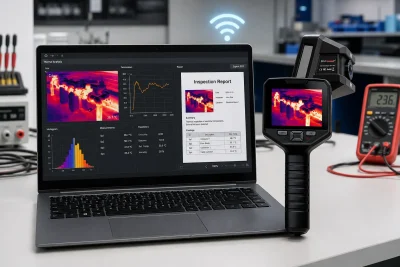
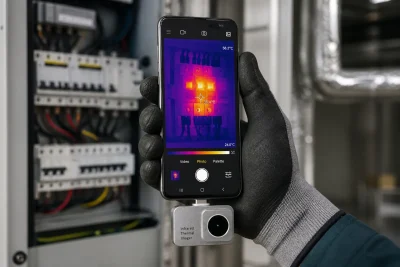
MTV-ONE PRO mobile thermal camera
The MTV-ONE PRO is a compact Android-connected mobile thermal camera designed for technicians who want thermal imaging through a phone-based workflow. The supplied datasheet lists a 152 × 291 thermal resolution, <50mK NETD @25°C, 15Hz frame rate, fixed focus, point/line/region measurement, automatic high/low temperature tracking, and a stated measurement range up to 600°C.
This makes it a practical option for portable service work, quick checks, and field teams that prefer a lightweight inspection setup. It should be described as an Android-based mobile thermal camera, because the supplied datasheet explicitly references Android integration and does not confirm iPhone support.
Which MarMonix Thermal Camera Is Best for You?
- Choose the HTV 340 LPRO if you want the most advanced handheld feature set in this group, especially for more serious inspection and reporting work.
- Choose the MTV-256 PRO if you want a handheld thermal camera with a fast stated frame rate and broad application coverage for everyday technical inspection.
- Choose the MTV-320 Pro if you want the most balanced general-purpose option with Wi-Fi, PC analysis, fusion modes, and a documented IP54 rating.
- Choose the MTV-ONE PRO if you want the most portable thermal imaging solution and prefer an Android phone-based workflow for fast field diagnostics.
How to Get More Accurate Thermal Inspection Results
Even the best thermal imaging camera can produce poor results if it is used incorrectly. For more reliable inspections:
- Allow the camera to stabilize to the ambient environment before critical measurements.
- Use the correct emissivity setting whenever available.
- Avoid measuring reflective surfaces directly without compensation.
- Keep the target in correct focus.
- Inspect electrical assets under normal operating load whenever possible.
- Document ambient conditions, target condition, and load state for meaningful reporting.
Common Thermal Inspection Mistakes
- Measuring shiny metal surfaces without considering emissivity and reflections.
- Interpreting a thermal image without understanding load conditions.
- Relying only on color appearance instead of actual temperature tools and markers.
- Capturing out-of-focus images and assuming the measurement remains unaffected.
- Trying to measure through glass, which blocks long-wave infrared measurement in typical thermal applications.
| Model | Positioning | Best Use Case | Main Advantage |
|---|---|---|---|
| MTV-ONE PRO | Mobile thermal camera | Quick inspections, field mobility, entry-level thermal checks | Portable and convenient smartphone-based workflow |
| MTV-256 PRO | Entry-to-mid handheld thermal camera | Routine electrical and mechanical inspections | Good balance of usability, imaging performance, and cost |
| MTV-320 PRO | Professional handheld thermal camera | Industrial maintenance, PdM routes, detailed troubleshooting | Stronger imaging capability for professional inspection work |
| HTV-340 LPRO | Higher-performance professional model | Advanced diagnostics, critical assets, demanding reports | Higher detail and stronger analytical value for expert users |
Frequently Asked Questions
Is higher thermal resolution always better?
Higher native detector resolution usually improves thermal detail, but image quality also depends on optics, focus, NETD, frame rate, and the overall design of the camera. Resolution matters, but it is not the only factor.
What temperature range do I need in a thermal camera?
That depends on the target. Building and HVAC work often require a moderate range, while industrial process inspection or high-load electrical systems may demand significantly higher limits. Buy according to the temperatures you actually inspect.
Why do metal surfaces sometimes show incorrect readings?
Polished or shiny metal has low emissivity and reflects surrounding infrared energy. This can make the apparent reading look wrong even when the camera is functioning normally.
Can a thermal camera see through walls?
No. A thermal imaging camera reads surface temperature patterns. It cannot see directly through walls, but it can reveal hidden problems such as moisture, insulation defects, or concealed components through the temperature effect they create on the surface.